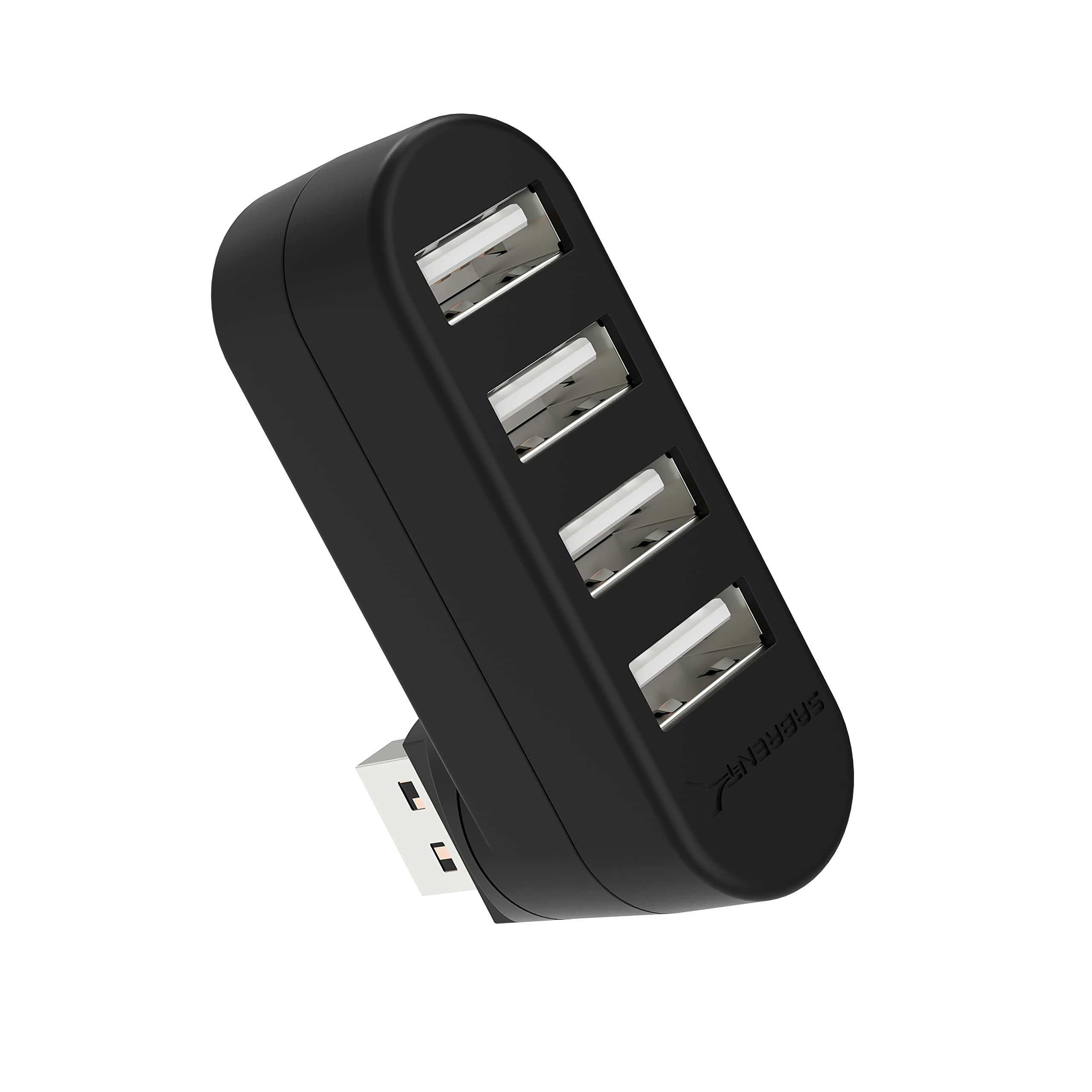
The SABRENT 4 Port USB 2.0 Hub is a small way to add four USB connections to a compatible device, with a connector that rotates to suit different port positions.
This SABRENT 4 Port USB 2.0 Hub review focuses on its practical fit for everyday peripherals and the limits to consider before buying.
SABRENT USB Hub Review Summary
The quick verdict
16,000+ ratings
Read Amazon ReviewsSABRENT 4 Port USB 2.0 Hub
A compact option for adding four USB 2.0 ports to a compatible computer, especially when a rotating connector could help with placement.
- Four USB 2.0 ports add connection options to a compatible device.
- The USB connector rotates 90 or 180 degrees to accommodate different port orientations.
- The stated maximum data transfer rate is 480 megabits per second.
- Plug-and-play setup and hot-swappable, hot-pluggable operation are supported.

Pros
- Provides four ports in a small, lightweight form.
- Rotating connector can help with positioning in tight spaces.
Consider before buying
- USB 2.0’s maximum stated transfer rate of 480 megabits per second is modest for large or frequent file transfers.
- Charging is not supported, so the hub is not a charging solution for phones or other devices.
Read the full review summary
This hub is built around a straightforward job: turn one compatible USB connection into four USB 2.0 ports.
Its compact plastic body measures 2.3 by 0.7 by 1.7 inches and weighs one ounce, so it is easy to carry alongside a laptop or keep tucked near a desktop.
Plug-and-play setup and compatibility with Windows, Mac, and Linux systems make it appealing if you want a simple expansion without a complicated setup.
The rotating USB connector is the standout design detail. It can turn 90 or 180 degrees, which may make it easier to position the hub when a computer’s ports are close to a desk, wall, or neighboring connector.
The tradeoff is that the hub is USB 2.0, with a maximum data transfer rate of 480 megabits per second, and charging is not supported.
It is best suited to basic peripherals and modest data needs rather than charging devices or building a high-speed storage setup.
The buying factors
SABRENT USB Hub Scorecard
Editorial scores reflect listed features and buyer fit; they are not laboratory measurements or customer ratings.
Port expansion
Adds four USB 2.0 ports through a single compatible connection, a useful increase for a compact setup.
Connector flexibility
The connector rotates 90 or 180 degrees, giving buyers useful options for fitting the hub around nearby surfaces and cables.
Portability
Its one-ounce weight and compact dimensions make it convenient to carry or store.
Setup simplicity
Plug-and-play operation and hot swapping support a simple routine for connecting peripherals.
Data speed
USB 2.0 supports transfer rates up to 480 megabits per second, which suits basic use better than demanding transfers.
Device charging
Charging is explicitly unsupported, so buyers seeking a charging hub should choose a different design.
Key Features and Specifications of SABRENT USB Hub
- Four USB 2.0 ports add connection options to a compatible device.
- The USB connector rotates 90 or 180 degrees to accommodate different port orientations.
- The stated maximum data transfer rate is 480 megabits per second.
- Plug-and-play setup and hot-swappable, hot-pluggable operation are supported.
- Compatibility includes Windows, Mac, and Linux systems.
- The compact plastic housing measures 2.3 by 0.7 by 1.7 inches and weighs one ounce.
- Charging is not supported.
Pros and Cons of SABRENT USB Hub
Pros
- Provides four ports in a small, lightweight form.
- Rotating connector can help with positioning in tight spaces.
- Plug-and-play and hot-swappable operation keep setup straightforward.
- Broad compatibility across Windows, Mac, and Linux systems.
Consider before buying
- USB 2.0’s maximum stated transfer rate of 480 megabits per second is modest for large or frequent file transfers.
- Charging is not supported, so the hub is not a charging solution for phones or other devices.
- Buyers who need only newer high-speed USB ports may find this design limiting.
Who Should Buy SABRENT USB Hub?
Good fit
Consider this hub if you need a few extra connections for a keyboard, mouse, or other everyday USB peripherals and value a small device that is easy to carry.
The four-port layout can help reduce the need to unplug one peripheral to connect another, while the rotating connector gives some flexibility when the computer’s USB port sits in an awkward position.
It also makes sense for a simple travel kit or a desk where compact size matters more than transfer speed.
Before buying, check that your device has a compatible USB connection and that the peripherals you plan to attach do not need charging through the hub.
For routine use with modest data demands, the uncomplicated setup is the main appeal.
Who should skip it
Skip it if you need a hub that charges connected devices; this model does not support charging.
Look elsewhere if moving large files quickly is central to your setup. Its USB 2.0 interface has a stated maximum of 480 megabits per second, so confirm that this speed tier suits your devices and workflow.
How the SABRENT USB Hub Fits Everyday Setups
A practical four-port expansion
Four additional ports can make a noticeable difference on a computer that has limited USB connections, particularly for peripherals that stay plugged in.
This is a data hub for connection expansion, so its value depends on whether four USB 2.0 ports match the devices you want to use.
The rotating connector helps with placement
A fixed hub can be awkward when a computer’s port faces an inconvenient direction or sits close to another object.
The ability to rotate the connector by 90 or 180 degrees gives buyers more ways to orient the hub, though the best position will depend on the device and surrounding space.
Know the speed and power limits
The USB 2.0 interface has a maximum stated transfer rate of 480 megabits per second. That makes the hub a more natural fit for ordinary peripherals than for a workflow centered on fast external storage.
Since charging is unsupported, plan to power phones and other rechargeable devices separately.
Small enough to travel
At one ounce and 2.3 by 0.7 by 1.7 inches, the hub takes up little space in a laptop bag or on a desktop.
Its plastic construction keeps the design simple and compact; buyers who need additional ports for a portable setup should still check the connector orientation and cable clearance on their own device.
Alternatives to SABRENT USB Hub
USB Hubs alternative

2,000+ ratings
Read Amazon ReviewsSABRENT 4-Port USB 3.0 Hub (HB-MC3B)
Choose the reviewed model if its rotating connector and small footprint suit your setup and USB 2.0 is sufficient.
Consider this cable-equipped alternative if you want four ports with a higher stated data speed or need more reach between the computer and hub.
- This four-port model uses USB 3.0, supports transfer speeds up to 5 gigabits per second, and includes a 2.5-foot USB 3.0 cable.
- It is also described as compatible with USB 2.0 and USB 1.1.
- The reviewed hub adds four USB 2.0 ports, has a rotating connector, and is compact enough to carry easily.
USB Hubs alternative
6,000+ ratings
Read Amazon ReviewsSABRENT 10-Port Powered USB 3.0 Hub (HB-B7C3)
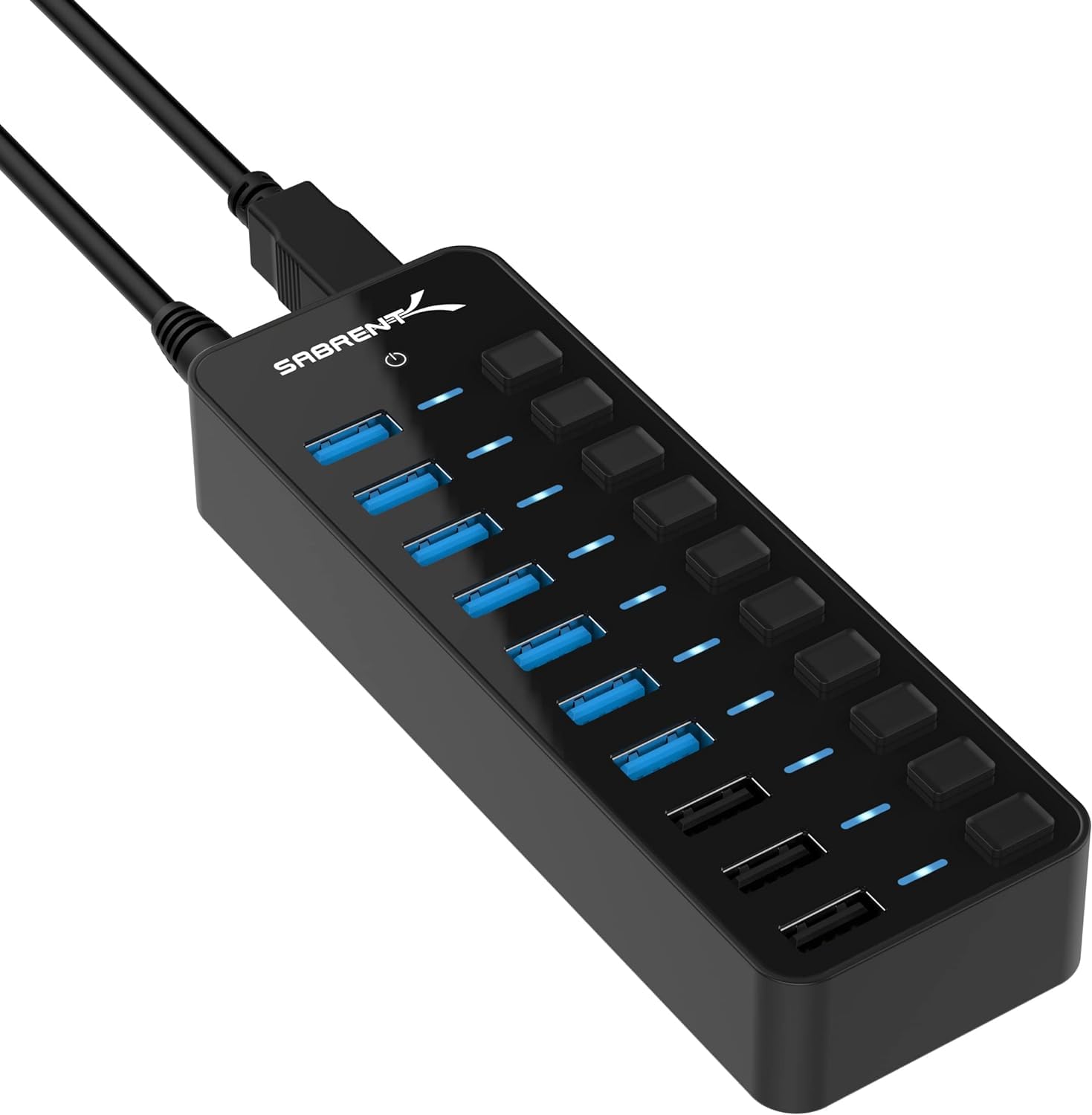
The reviewed hub is a better fit for someone who needs a light, simple four-port expansion. Consider this powered alternative when a desk setup needs more simultaneous connections, dedicated charging ports, or individual port controls.
- This powered design connects up to seven USB 3.0 devices for data, includes three dedicated charging ports, individual power switches and LEDs, and a 60-watt power adapter.
- The reviewed hub is a portable four-port USB 2.0 data expander and does not support charging.
Is SABRENT USB Hub Worth It?
The SABRENT 4 Port USB 2.0 Hub is worth considering when you want a compact, simple way to add four ports for everyday peripherals.
Its rotating connector and lightweight design are practical touches for travel or crowded desk spaces.
Buy it if USB 2.0 speed is adequate and you do not need device charging from the hub. For faster data transfers or powered charging, choose a design built for those specific needs instead.
Your review at a glance
16,000+ ratings
Read Amazon ReviewsSABRENT 4 Port USB 2.0 Hub
A compact option for adding four USB 2.0 ports to a compatible computer, especially when a rotating connector could help with placement.
- Four USB 2.0 ports add connection options to a compatible device.
- The USB connector rotates 90 or 180 degrees to accommodate different port orientations.
- The stated maximum data transfer rate is 480 megabits per second.
- Plug-and-play setup and hot-swappable, hot-pluggable operation are supported.